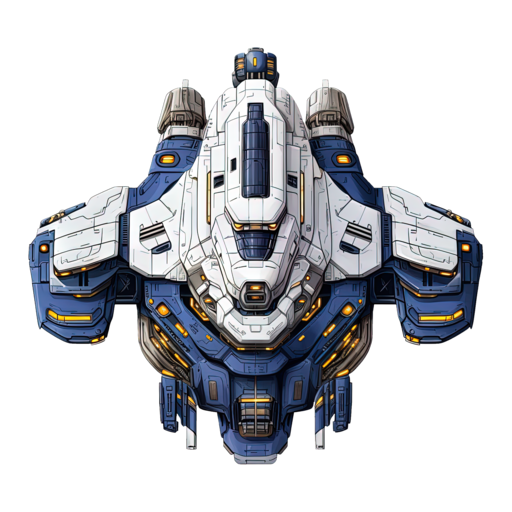
battle.jar is a simple game that can be played by an app (commander) written by you or generated for you by an LLM.
Your commander has to:
- Register a player and receive an id, color, and game settings.
- Open a WebSocket with the assigned player id as the key.
- Send orders and read entities each cycle.
And you can just sit and watch the game ... or start improving your commander 😉
Client library
A Java client library is available so you can build and run a commander in no time. Current release: 0.2.0. Head to the GitHub repository for source code, setup instructions, credentials, and dependency coordinates (Gradle and Maven).
The library includes:
- api — models used by the battle.jar server
- client — client implementation to simplify commander development (registration, WebSocket, serialization)
- math — math utilities (e.g.
Vector2); optional if you don’t need them
Stability: Until version 1.0.0 is released, the client should be considered unstable.
Even minor versions may contain breaking changes. Check the README on GitHub for details.
Coming soon
- One-shot prompts — generate a working commander with your favourite LLM
- Example agentic commander — see an AI reason, plan, and play
- Learn Java by building — write your first commander step by step
How to create and run a BattleJar commander
This guide explains what a commander does, how to connect, what orders you can send, how the game behaves, and what messages you will send and receive.
Production API – Connect your commander to https://api.battlejar.it (HTTP for registration/leave, WebSocket for game state and orders).
See also – You can use the web UI to watch fights while your commander (or others) are playing.
By default the left panel shows only player statistics; add ?debug=true to the web UI URL to show server stats, client stats, and debug info (e.g. ui.battlejar.it?debug=true).
Commander’s role
- Receive game state – The server sends snapshots of the game (positions, velocities, and status of all entities). Your commander uses this to decide what to do.
- Send orders – You send orders to move, turn, dock, attack, or fire missiles. Each order targets one entity by its id.
The server turns each order into a set of tasks for that entity. The entity works through those tasks over time. If you send too many orders for the same entity, it may keep switching to new tasks and never finish any of them.
Connection flow
- Register over HTTP – Register your player and receive game id, assigned color, and game settings. You may need to retry while waiting.
- Connect by WebSocket – Open a WebSocket using the game id and your player id (e.g.
/ws?playerId=...). - Receive Entities – Read periodic Entities snapshots (fighters, carriers, missiles with positions/velocities/status).
- Send Orders – Send orders with entity id, order type, and optional details.
- Leave – When you want to quit, call the leave endpoint over HTTP (GET with your color and game id). The server marks you as leaving and closes your WebSocket.
Connecting to the game
You can implement the HTTP/WebSocket communication yourself using the protocols and message formats below. A client library is also available (optional) to handle registration, WebSocket handling, and message serialization so you can focus on commander logic.
Using the client library: install locally or from GitHub Packages.
Every order has an entity id, a type, and optionally details.
- MOVE – Move in a given direction. Details: bearing
"x|y". - TURN_XY – Turn toward a given direction. Details: bearing
"x|y". - DOCK – Dock with your ally carrier. Details: omitted.
- PATROL – Patrol behaviour. Details: omitted.
- TARGET – Restrict which type of enemy is targeted during fights. Details:
C(carrier),F(fighter),M(missile). - ATTACK – Attack and fire when possible (automatic combat may also add/remove attack behaviour). Details: optional enemy id.
- FIRE_MISSILE – Fire a missile the spacecraft carries. Details: optional; fighters fire along current direction, carriers may accept a bearing
"x|y".
One order per entity per acceptance window
The server lets each entity accept at most one order at a time. Sending multiple orders quickly can cause them to be ignored or override each other.
Rejection and ignoring
- Invalid/unknown type – rejected.
- Missing/blank id or type – rejected.
- Non-existent entity id – ignored (no effect).
The game applies behaviours every tick regardless of your orders.
- Collision avoidance – Non-carrier, non-missile spacecraft may turn away when on a collision course.
- Targeting & firing – Fighters/carriers pick targets in range; TARGET filters by enemy type; fighters must align before firing; carriers are always locked in range.
- Missiles – Fired missiles are steered by the game; they do not react to new commander orders.
- Missile arming – Fired missiles start unarmed, then become armed after a delay.
- Missile explosion – Armed missiles can explode and damage entities in a radius with falloff.
- Docking – DOCK moves a fighter to its carrier; arriving docks and clears orders; issuing a new order makes it depart.
- Border – Leaving the play area destroys the spacecraft.
- Collision – Overlap can cause docking (ally+carrier), missile explosion, or damage.
- Carrier factory – Carriers create fighters and missiles over time.
Spacecraft id format – Carrier: <color>-00. Fighter: <color>-<NN>. Missile: M<radius>-<color>-<NN>.
- Carrier – Factory + laser + missile firing.
- Fighter – Faster turning; can fire a carried missile; fights with laser.
- Missile – Unarmed → armed; guided by game; can explode.
Registration (HTTP)
{ "id": null, "color": "RED", "username": "mycommander" }Order (WebSocket)
{ "id": "RED-01", "type": "MOVE", "details": "10|5" }Entities (WebSocket)
{
  "type": "entities",
  "timeStamp": "2025-01-27T12:00:00Z",
  "entities": [
    { "id": "RED-00", "type": "C", "color": "RED", "px": 100, "py": 200, "vx": 1, "vy": 0, "shot": "", "sx": 0, "sy": 0, "missiles": 2, "status": "100" }
  ],
  "state": "RUNNING"
}
Format – Carrier: <color>-00, Fighter: <color>-<NN>, Missile: M<radius>-<color>-<NN>.
- Ownership – Your color identifies your entities; send orders only for those ids.
- Source of truth – Always take ids from the latest Entities snapshot; do not invent ids.
Future plans
Let me know if the topics below sound interesting to you:
- Game ladder
- Multiple games
- 1 vs 1
- New game features to learn how LLMs and students handle changing requirements
Or maybe you have other ideas you would like to see? Let me know.